The Importance of Automated Backup for Business Continuity: 2025 Trends, Best Practices, and ROI
Introduction
The Importance of Automated Backup for Business Continuity has never been greater. From ransomware waves to accidental deletions and regional outages, data risk is now a core business risk. In 2025, leaders are moving beyond manual, ad‑hoc backups toward policy‑driven automation that continuously protects workloads across on‑premises, cloud, and SaaS. The result: lower downtime, faster recovery, stronger compliance, and measurable ROI. This article unpacks the latest trends, practical frameworks, and decision criteria you can use to modernize your backup strategy and harden business continuity today.
What Is Automated Backup—and Why It Matters
Automated backup is the continuous, policy‑based protection of data and systems without human intervention. Schedules, retention, immutability, verification, and recovery workflows are codified so they execute reliably—every time. Automation reduces human error, enforces consistency at scale, and enables rapid recovery when minutes matter.
RPO and RTO: The North Stars of Continuity
Two metrics guide backup and recovery design:
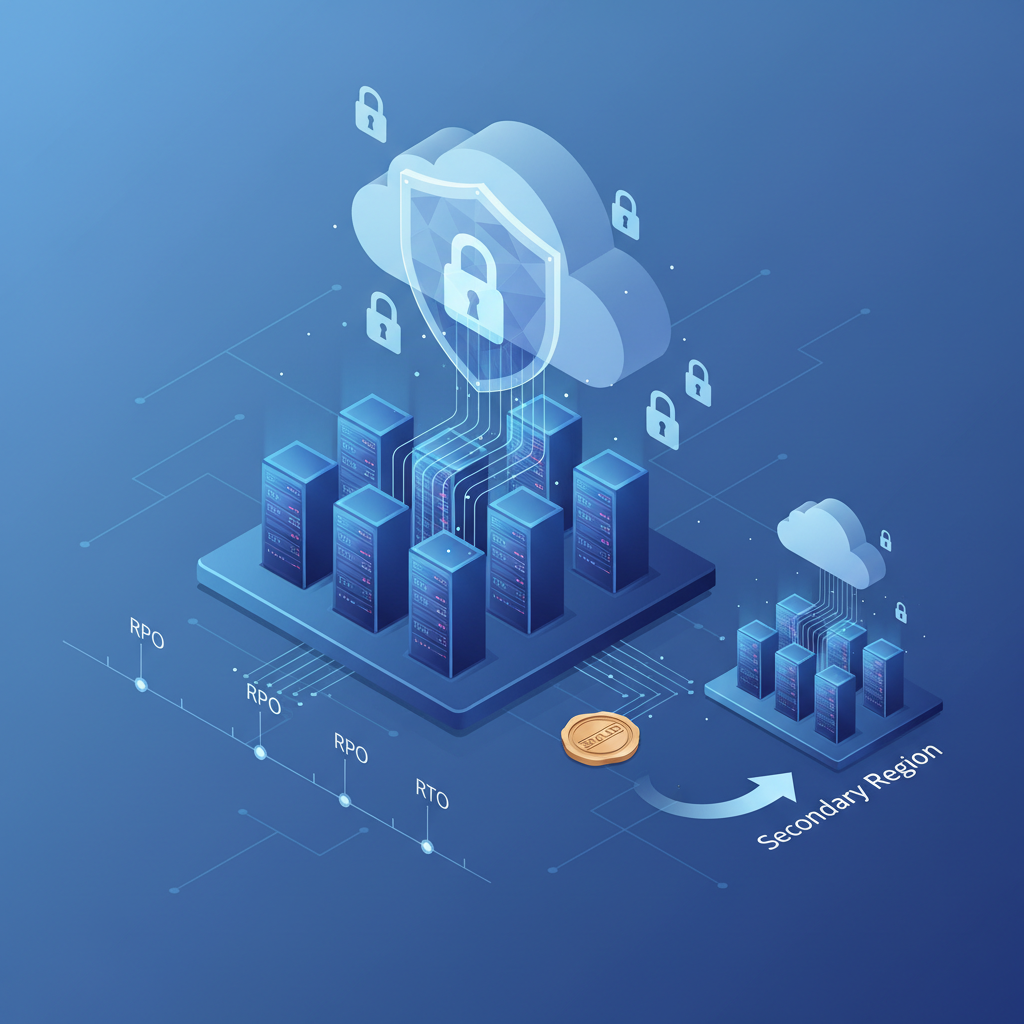
- RPO (Recovery Point Objective): How much data you can afford to lose, expressed as time (e.g., 15 minutes). Lower RPOs require more frequent backups or continuous data protection.
- RTO (Recovery Time Objective): How quickly you must restore service (e.g., 1 hour). Lower RTOs require orchestration, warm standbys, and pre‑staged capacity.
Automated backup systems help you meet strict RPO/RTO targets by consolidating policies, reducing variance, and accelerating recovery steps.
The 3‑2‑1‑1‑0 Rule for Modern Resilience
A widely adopted best practice is the 3‑2‑1‑1‑0 backup rule:
- 3 copies of your data
- 2 different media types or storage platforms
- 1 off‑site copy
- 1 immutable or air‑gapped copy
- 0 backup verification errors
Automation operationalizes this rule at scale—scheduling offsite replication, applying immutability, testing restores, and alerting on drift.
Latest Trends in Automated Backup for Business Continuity
The Importance of Automated Backup for Business Continuity: A Quick Trend Summary
- Immutable, object‑locked backups counter ransomware tampering.
- Policy‑as‑code and orchestration streamline multi‑cloud coverage.
- AI‑assisted anomaly detection flags suspicious backup activity.
- Backup‑as‑a‑Service (BaaS) and DRaaS reduce operational overhead.
- Zero‑trust controls lock down backup infrastructure itself.
- Comprehensive SaaS backup fills the shared‑responsibility gap.
Immutable Backups and Object Lock
Ransomware increasingly targets backups. Immutable storage—using technologies like S3 Object Lock or WORM—prevents modification or deletion for a defined retention period. Automated policies enforce immutability windows, legal holds, and lifecycle transitions, giving you a guaranteed clean recovery point.
Policy‑as‑Code and Automated Orchestration
Enterprises are adopting policy‑as‑code, expressing backup rules in version‑controlled templates. This makes protection consistent and auditable across regions and providers. Orchestration engines then automate application‑aware quiescing, snapshotting, dependency sequencing, and cross‑cloud failover—key to hitting aggressive RTOs.
AI‑Driven Anomaly Detection
Modern platforms apply machine learning to detect anomalies—unusual change rates, sudden encryption patterns, or mass deletions—during backup windows. Automated workflows can quarantine suspect snapshots, trigger out‑of‑band immutable copies, and alert incident response, buying precious time in an attack.
BaaS and Hybrid‑Cloud Protection
Backup‑as‑a‑Service (BaaS) offloads infrastructure maintenance while covering on‑prem VMs, containers, databases, endpoints, and cloud workloads from a single pane. Hybrid‑cloud policies automate locality (to minimize egress and latency), tiering (to optimize cost), and replication (to mitigate regional disruptions).
Zero‑Trust for Backup Systems
Backups themselves are critical assets. Zero‑trust practices—least privilege, MFA, just‑in‑time admin, network segmentation, and hardware key signing—are being applied to backup control planes and repositories. Automation rotates credentials, monitors privileged access, and enforces separation of duties.
DRaaS with One‑Click Runbooks
Disaster Recovery as a Service (DRaaS) pairs automated backups with push‑button runbooks that recover full application stacks. Regular, scripted failover tests validate RPO/RTO claims and produce audit‑ready evidence—without weekend fire drills.
Comprehensive SaaS Backup
Cloud providers operate on a shared responsibility model. Accident, misconfiguration, sync conflicts, or malicious insiders can still cause data loss. Automated SaaS backups for Microsoft 365, Google Workspace, Salesforce, and others ensure rapid, granular restores for emails, docs, and records.
How to Design an Automated Backup Strategy
Step‑by‑Step Implementation Roadmap
- Classify workloads: Map systems to business processes and quantify impact. Identify crown‑jewel data and dependencies.
- Set RPO/RTO targets: Use business impact analysis to define service‑level objectives per application tier.
- Choose protection methods: Mix snapshots, image‑based backups, CDP, and database‑aware backups to meet targets.
- Apply 3‑2‑1‑1‑0: Define offsite replication, immutable retention, and automated verification workflows.
- Codify policies: Define schedules, retention, encryption, and lifecycle in policy‑as‑code templates.
- Secure the control plane: Enforce MFA, least privilege, network segmentation, and tamper‑evident logs.
- Automate testing: Schedule synthetic and full restores; capture metrics and evidence for auditors.
- Document runbooks: Build application‑aware recovery plans and integrate with incident response.
- Monitor and iterate: Track drift, failures, anomalies, and SLA adherence. Tweak continuously.
Metrics and SLAs That Matter
- Backup success rate and verification pass rate (aim for “0” errors per 3‑2‑1‑1‑0)
- Restore success rate and mean time to recover (MTTR)
- RPO/RTO compliance by application
- Coverage: percentage of assets under policy and frequency alignment
- Cost per protected TB and storage efficiency (dedupe/compression ratios)
- Anomaly detection events and time‑to‑triage
Cost Optimization Without Sacrificing Resilience
- Tiering and lifecycle: Automate movement from hot to cool/archive tiers based on access and age.
- Right‑sized retention: Align retention to compliance and recovery needs; avoid one‑size‑fits‑all.
- Dedupe and compression: Increase logical retention without linear capacity growth.
- Selective immutability: Apply stronger immutability to higher‑risk datasets to balance spend.
- Regional economics: Replicate with awareness of egress, retrieval fees, and latency.
Security, Compliance, and Governance
Encryption, Keys, and Data Residency
Automated backup should enforce encryption in transit and at rest, with centralized key management (e.g., KMS, HSMs) and role‑based access. Define residency policies to keep data within required jurisdictions and document chain‑of‑custody for regulators.
Testing, Auditing, and Evidence
“Trust, but verify” is non‑negotiable. Schedule automated restores (file‑level and full stack), capture logs, screenshots, hashes, and timings, and store results immutably. This creates defensible evidence for auditors and stakeholders.
Common Pitfalls—and How to Avoid Them
- Assuming SaaS is fully protected: Fill the shared‑responsibility gap with third‑party SaaS backups.
- Backups without restores: A backup is only as good as your last successful restore test. Automate tests.
- Flat admin permissions: Separate duties for backup admin, key management, and security monitoring.
- Single‑vendor blind spots: Multi‑cloud or hybrid environments need heterogeneous support and policy consolidation.
- Skipping immutability: Without immutable copies, ransomware can erase your last line of defense.
- Ignoring runbooks: Document and rehearse recovery steps. Muscle memory beats chaos.
Real‑World ROI: Turning Backups Into Business Value
Automated backup is not just an insurance policy; it’s a performance and cost strategy:
- Reduced downtime: Faster MTTR translates to preserved revenue and lower SLA penalties.
- Lower operational overhead: Policy‑driven automation frees teams to focus on higher‑value work.
- Fewer incidents: Anomaly detection stops data destruction earlier.
- Audit efficiency: Automated evidence slashes compliance prep time.
- Predictable spend: Tiering, dedupe, and intelligent retention prevent runaway costs.
FAQs
Is snapshotting enough for business continuity?
Snapshots are fast but can be co‑located and mutable. For continuity, pair snapshots with offsite, immutable backups and tested recovery plans.
How often should I test restores?
At least quarterly for each critical application, with monthly spot checks for others. High‑risk systems may justify weekly tests.
Do I need immutable backups if I already use MFA?
Yes. MFA reduces access risk, but immutability protects data from insider threats, credential theft, and malware that bypass controls.
Conclusion: Resilience by Design
Automation transforms backups from a fragile chore into a resilient, always‑on safety net. By codifying policies, enforcing immutability, testing routinely, and securing the backup control plane, you turn continuity into a capability—not a hope. The organizations that thrive through disruption are the ones that prepare, measure, and practice. Start today; your future self (and customers) will thank you.
Enjoyed this article? Leave your comment and share it with your network! Don’t miss our upcoming updates — subscribe to the blog using the form below and receive the latest posts directly.
REFERENCES
- NIST: Contingency Planning Guide for Federal Information Systems (SP 800‑34 Rev. 1)
- ISO: ISO 22301 – Security and resilience — Business continuity management systems
- AWS: Well‑Architected Framework – Reliability Pillar
- Microsoft Learn: Azure Backup overview
- Google Cloud: Backup and DR Service
- Veeam: The 3‑2‑1 Backup Rule
- CISA: Ransomware Guide
- Verizon: Data Breach Investigations Report (DBIR)
- IBM: What is business continuity?
- Backblaze: Hard Drive Stats
- World Backup Day: Awareness and Best Practices